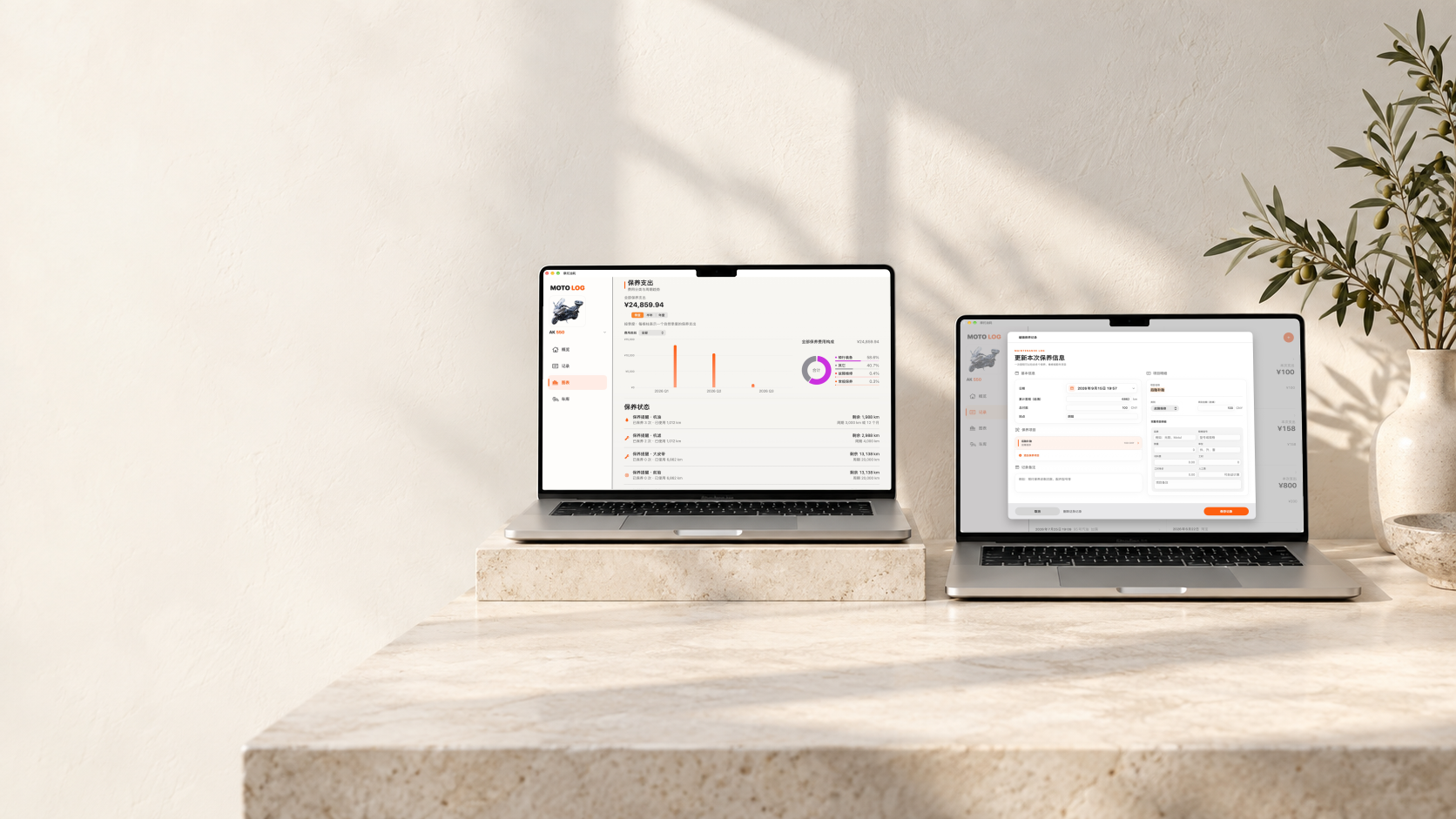
完整记录每次保养完整記錄每次保養Complete service records
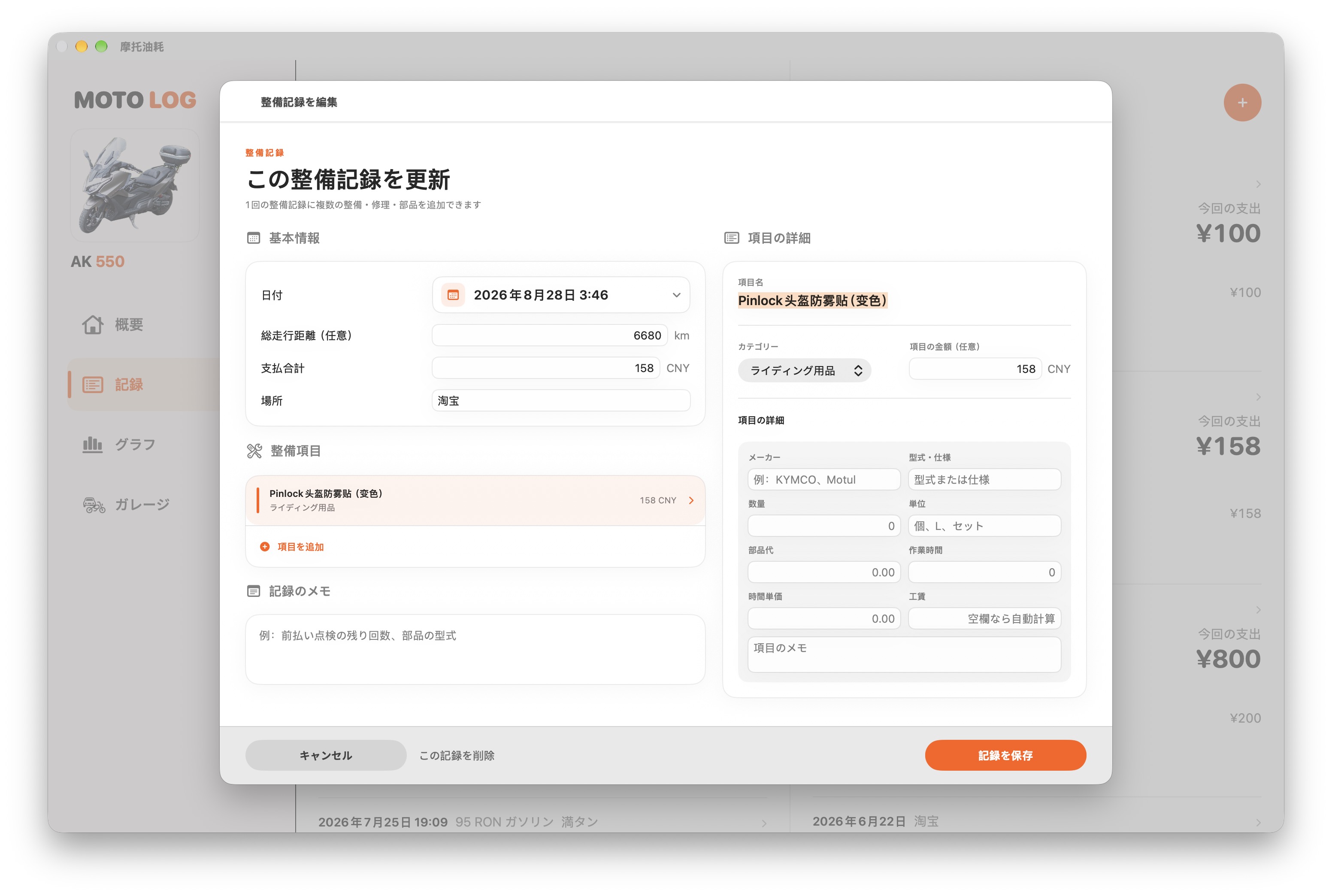
一次保养可以包含多个项目,把当时做了什么、用了什么、花了多少完整留下。一次保養可以包含多個項目,把當時做了甚麼、用了甚麼、花了多少完整留下。Keep every item, part, action, and cost together in one complete service entry.
Maintenance · 保养管理保養管理Service management
从一次保养的项目、材料、人工和花费,到下一次该换机油、机滤、轮胎或电瓶的时间,全部放进同一套清楚、可追溯的管理流程。
從一次保養的項目、材料、人工和花費,到下一次該換機油、機濾、輪胎或電瓶的時間,全部放進同一套清楚、可追溯的管理流程。
From every service item, part, labor charge, and cost to the next oil, filter, tire, or battery due date—keep it all in one clear, traceable workflow.
不只是记一笔费用不只是記一筆費用More than an expense log
Moto Fuel Tracker 会把“已经做过什么”和“接下来该做什么”联系起来。你看到的不只是历史账单,而是每辆车持续更新的保养状态。
Moto Fuel Tracker 會把“已經做過甚麼”和“接下來該做甚麼”聯繫起來。你看到的不只是歷史賬單,而是每輛車持續更新的保養狀態。
Moto Fuel Tracker connects what has already been done with what is due next. It is not merely a bill history, but a living maintenance status for every vehicle.
一次保养可以包含多个项目,把当时做了什么、用了什么、花了多少完整留下。一次保養可以包含多個項目,把當時做了甚麼、用了甚麼、花了多少完整留下。Keep every item, part, action, and cost together in one complete service entry.
机油、轮胎、电瓶各有自己的周期,每辆车也可以单独调整,不用套用同一套标准。機油、輪胎、電瓶各有自己的週期,每輛車也可以單獨調整,不用套用同一套標準。Oil, tires, and batteries each follow their own cycle, independently for every vehicle.
不必自己拿当前里程做减法,已使用、剩余和逾期状态都直接显示在车辆近况里。不必自己拿目前里程做減法,已使用、剩餘和逾期狀態都直接顯示在車輛近況里。No manual calculation: used, remaining, and overdue status appear directly in vehicle updates.
从最近一次保养回溯到年度支出,费用趋势和分类构成始终有据可查。從最近一次保養回溯到年度支出,費用趨勢和分類構成始終有據可查。Trace recent service through yearly spending with clear trends and category breakdowns.
保养规则保養規則Maintenance rules
机油可以设置“3,000 km 或 12 个月”,电瓶可以设置“3 年”,轮胎和大皮带则按里程管理。规则可以单独启用、修改或停止;删除规则也不会删除已经儲存的保养记录。
機油可以設定“3,000 km 或 12 個月”,電瓶可以設定“3 年”,輪胎和大皮帶則按里程管理。規則可以單獨啓用、修改或停止;刪除規則也不會刪除已經儲存的保養記錄。
Set oil to “3,000 km or 12 months,” batteries to “3 years,” and tires or belts to distance-based cycles. Enable, edit, or stop each rule independently without deleting existing records.
1.45 · 保养规则管理1.45 · 保養規則管理1.45 · MAINTENANCE RULES
在「车库 → 保养规则」中,为当前车辆管理不同项目的周期。1.45 将启停与排序放在同一处,让常用项目更容易找到。在「車庫 → 保養規則」中,為目前車輛管理不同項目的週期。1.45 將啟停與排序放在同一處,讓常用項目更容易找到。Manage each vehicle’s service intervals in Garage → Maintenance Rules. Version 1.45 brings rule switches and ordering together, so frequently used items are easier to find.
按项目选择周期:机油可用里程或时间,轮胎按里程,电瓶按时间;双条件规则以先到者为准。按項目選擇週期:機油可用里程或時間,輪胎按里程,電瓶按時間;雙條件規則以先到者為準。Choose an interval for each item: distance or time for oil, distance for tires, and time for batteries. With both conditions, whichever comes first applies.
用每条规则右侧的开关控制是否启用,也可通过列表上方的「全部停用/全部启用」统一管理。用每條規則右側的開關控制是否啟用,也可透過清單上方的「全部停用/全部啟用」統一管理。Toggle individual rules, or use Disable All / Enable All above the list to manage them together.
打开「调整顺序」,按名称或创建日期排序,也可以拖动自定义顺序,让规则列表符合自己的使用习惯。開啟「調整順序」,按名稱或建立日期排序,也可以拖動自訂順序,讓規則清單符合自己的使用習慣。Open Reorder to sort by name or creation date, or drag items into a custom order that suits the way you work.
保养记录与成本保養記錄與成本Records and cost
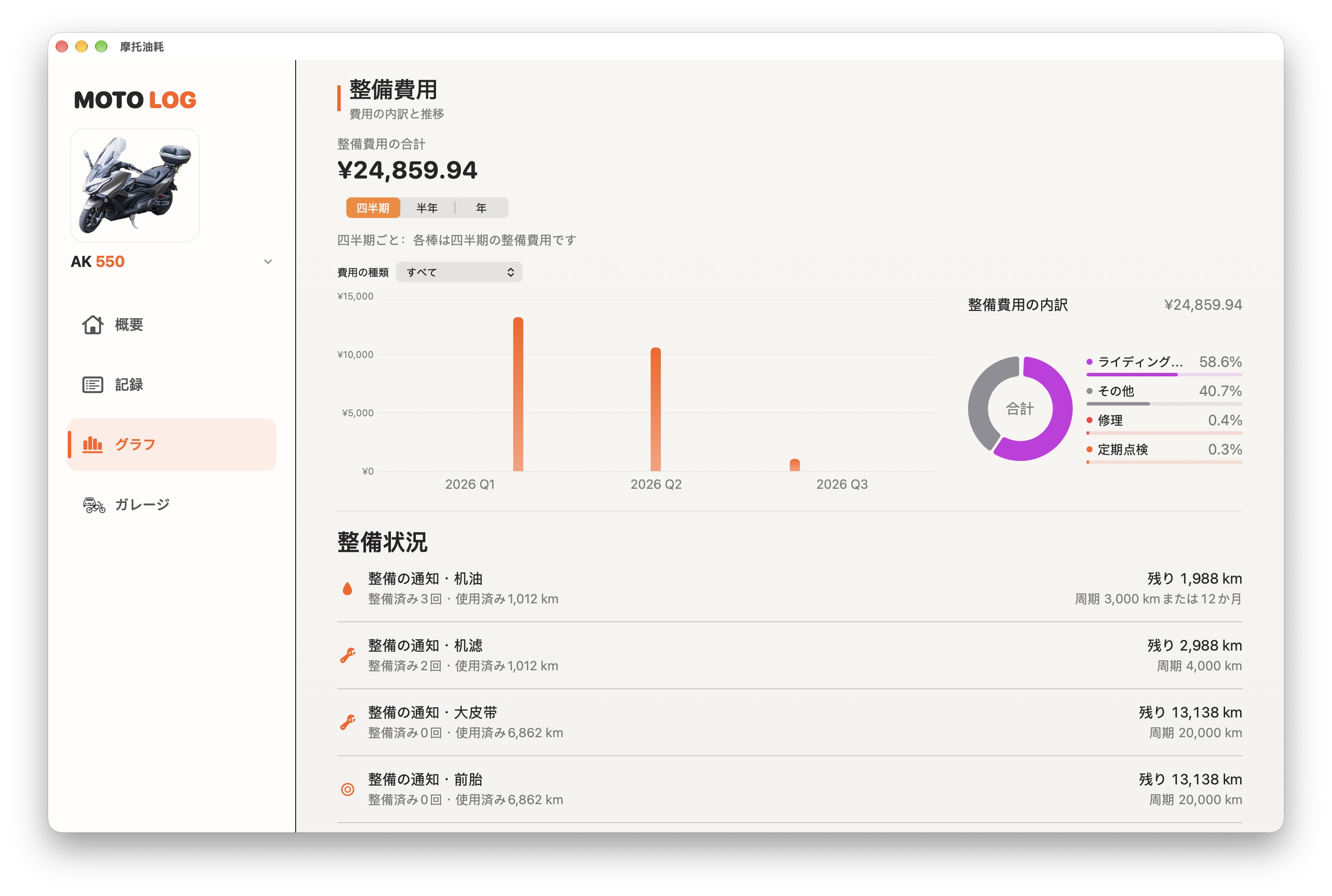
同一次保养可以包含多个项目,分别记录材料、人工、分类和金额。长期积累后,按季度、半年或年度查看支出趋势,也能看清常规保养、骑行装备和其他费用各占多少。
同一次保養可以包含多個項目,分別記錄材料、人工、分類和金額。長期積累後,按季度、半年或年度查看支出趨勢,也能看清常規保養、騎行裝備和其他費用各佔多少。
A single service can contain multiple items with separate parts, labor, categories, and amounts. Over time, review quarterly or annual trends and understand exactly where maintenance money went.
保养记录 · 从明细到趋势保養紀錄 · 從明細到趨勢SERVICE RECORDS · DETAILS TO TRENDS
手机查看所选周期和保养明细,iPad 横屏对照支出趋势与费用构成。先看总览,再回到每一次实际记录。手機查看所選週期和保養明細,iPad 橫向對照支出趨勢與費用構成。先看總覽,再回到每一次實際紀錄。Review a selected period and service details on iPhone. Compare spending trends and category breakdowns side by side on iPad, then return to the individual records.
分别记录项目、材料、人工、分类和金额,同时保留日期与里程,日后回看不只剩下一笔总价。分別記錄項目、材料、人工、分類和金額,同時保留日期與里程,日後回看不只剩下一筆總價。Keep items, parts, labor, categories, and amounts alongside dates and odometer readings—not just a single total.
切换季度、半年或年度查看支出趋势,再查看所选周期的费用构成与保养明细。切換季度、半年或年度查看支出趨勢,再查看所選週期的費用構成與保養明細。Switch between quarters, half-years, and years, then review the selected period’s breakdown and service details.
通过常规保养、故障维修、骑行装备和其他费用的分类,了解不同支出的占比,查清钱花在了哪里。透過常規保養、故障維修、騎行裝備和其他費用的分類,了解不同支出的占比,查清錢花在了哪裡。Use categories such as routine maintenance, repairs, riding gear, and other costs to understand where spending goes.
macOS · 保养全景保養全景Maintenance overview
在 Mac 上查看支出趋势、费用分类与保养状态,再展开一条记录,完整填写材料、工时和项目明细。在 Mac 上查看支出趨勢、費用分類與保養狀態,再展開一條記錄,完整填寫材料、工時和項目明細。Review spending trends, categories, and maintenance status on Mac. Open a record to enter materials, labor hours, and item details.
一条连贯的保养流程一條連貫的保養流程One continuous maintenance workflow
为当前车辆设置项目和周期。為目前車輛設定項目和週期。Set items and cycles for the vehicle.
写入项目、里程、材料、人工和金额。寫入項目、里程、材料、人工和金額。Save items, odometer, parts, labor, and cost.
自动显示已使用和剩余里程或时间。自動顯示已使用和剩餘里程或時間。See used and remaining distance or time.
临近或逾期项目清楚标出。臨近或逾期項目清楚標出。Upcoming and overdue items stand out.